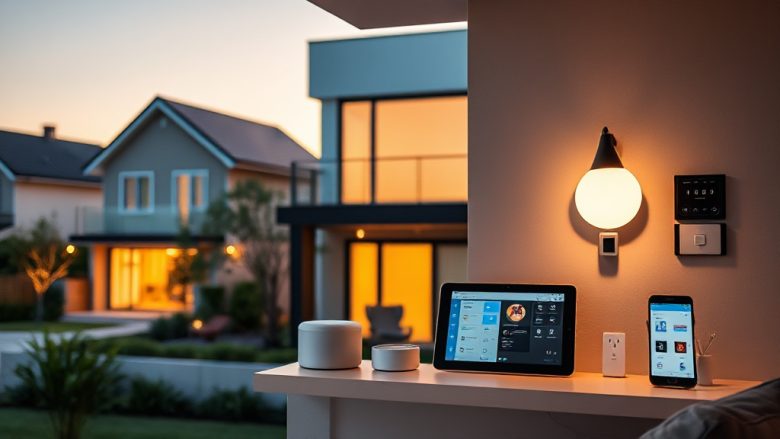
It’s 7am. You ask the kitchen speaker to turn on the lights, and it tells you it can’t find the device. The hallway lamp needs one app, the bedroom bulbs need another, and the hub in the cupboard has dropped offline for the third time this week. Nothing is broken exactly. It just feels clunky, and you suspect the answer isn’t to rip it all out and start again. It isn’t. The trick to how to improve your smart home technology is diagnosis first, upgrades second, and a short maintenance routine you’ll actually keep.
Most homes end up with a pile of devices bought at different times, each with its own app, its own login and its own idea of what a scene should be. That’s normal. It’s also fixable, usually for far less money than a full replacement. This is a problem-first walkthrough: find the friction, then work through the house room by room.
Diagnose why your smart home feels clunky
Before buying anything, spend an evening writing down every moment something annoys you. Be specific. “The lights are annoying” is useless. “The landing light takes four taps and the app opens slowly” gives you something to fix. Do this for a week if you can. Patterns show up fast, and they usually fall into four buckets.
The first is app sprawl. Count how many smart home apps are on your phone. If it’s more than three, that’s your biggest problem. Every extra app is another place a device can hide, another set of automations that can’t see the rest of the house, and another login that will eventually expire at the worst possible moment.
The second is a weak network. Smart plugs, bulbs and sensors are cheap radios, and they compete with everything else on your Wi-Fi. A router tucked in a cupboard under the stairs, surrounded by brick, will drop devices constantly. Before you blame the hardware, check where your router actually lives and how many devices are hanging off it.
The third is a hub that keeps falling over. If your hub drops offline regularly, look at three things: its power supply, its position, and whether it’s overloaded with automations that run every few seconds. A hub that’s asked to check ten conditions every minute will eventually choke.
The fourth is voice control that ignores you. This is almost never the speaker’s fault. It’s usually a naming problem. If you have two devices called “lamp”, or a room called “office” that’s actually a corner of the living room, voice assistants will guess, and they’ll guess wrong.
Fix the foundation before you buy anything new
Start with naming. Go through every device and give it a name that includes the room and what it does. “Kitchen counter light” beats “Lamp 2” every time. Do the same with rooms. If your “office” is really a desk in the corner of the lounge, call it that, or split the space properly in the app. This one change fixes more voice complaints than any new hardware.
Next, pick one app to be your home screen. Most ecosystems let you bring third-party devices into one place, even if you keep the original app for setup. You don’t have to move everything. Just choose the app you open most and make it the front door. Everything else becomes a settings screen you visit twice a year.
Then look at your network. If your router is old and buried, moving it to a more central, open spot can transform reliability. If you have a lot of devices, consider putting the smart ones on a separate network band or a dedicated access point. You don’t need enterprise gear. You need the radio signal to reach the far corners of the house without fighting three walls.
Finally, deal with the hub. Give it a stable power supply, not a USB port on the back of the TV. Put it somewhere central and high, away from metal and microwaves. Then trim your automations. If a rule runs every minute to check whether a door is open, replace it with a sensor that triggers when the door actually moves. Triggers are cheaper than polling, and they’re far more reliable.
Improve your smart home technology room by room
Once the foundation is stable, work through the house in a sensible order. Start where you spend the most time and where the friction is worst. For most people that’s the living room or kitchen.
In the living room, the goal is one command that sets the scene. Group your lights, your TV, and your speakers into a single scene, then trigger it with one voice phrase or one button. If you have a smart plug on a lamp that’s behind the sofa, move it to something you actually switch on daily. The point is to reduce the number of separate actions, not to add more devices.
In the kitchen, focus on lighting and timers. Under-cabinet lights on a motion sensor are genuinely useful. A single voice command that starts a timer and dims the main lights is more valuable than five gadgets you never touch. If your kitchen speaker keeps mishearing you over the extractor fan, move it away from the noise source rather than replacing it.
In the bedroom, keep it simple. A bedside button that turns off every light in the house and locks the doors is worth more than any app. Avoid voice control here if it wakes your partner. Physical buttons and schedules work better in a room where you want quiet.
In the hallway and stairs, motion sensors earn their keep. A light that comes on at 20 percent between midnight and 6am, and full brightness during the day, is a small change that makes the whole house feel smarter. Set the sensor sensitivity so the cat doesn’t trigger it.
Outside, look at what you already have. A smart plug on a garden light, scheduled to match sunset, costs almost nothing and removes a daily chore. If your outdoor devices drop offline in winter, it’s usually a range problem, not a device problem. Add a repeater or move the hub closer to the wall nearest the garden.
Throughout all of this, resist the urge to buy a new device to solve a software problem. Nine times out of ten, the fix is naming, grouping or moving something. Buy only when you’ve exhausted those options.
Make devices work together without replacing them
The real upgrade isn’t new hardware. It’s getting the hardware you own to talk to each other. This is where a shared standard helps. If your devices support a common local protocol, they can often be controlled by one hub even when they come from different makers. Check what your existing devices support before you buy anything new, and favour devices that speak the same language as the rest of your home.
Local control matters too. Cloud-dependent devices stop working when the internet drops or the manufacturer changes its terms. Where you can, prefer devices that keep working on your home network. This isn’t always possible, but it’s worth checking before you commit to a new purchase.
Then build a small number of genuinely useful automations. Good ones are boring and invisible. Lights that come on when you arrive home after dark. A notification if the garage door is still open at 10pm. Heating that drops when everyone leaves. Bad ones are clever for a week and annoying forever. If an automation needs a paragraph to explain, delete it.
Finally, add one physical control point. A wall button, a remote or a smart display in a central spot gives everyone in the house a way to use the system without a phone. Guests and family members who don’t want an app will thank you, and you’ll use the system more because it’s easier.
A simple maintenance routine that keeps it reliable
Smart homes drift. Devices get renamed, apps update, passwords expire, and batteries die quietly. A short routine prevents most of the frustration people blame on the technology.
Once a month, spend fifteen minutes on three things. First, check for offline devices and fix them while you’re thinking about it. Second, replace any low batteries in sensors, buttons and locks before they fail. Third, run your main scenes and automations once to confirm they still work. That’s it. Fifteen minutes, once a month.
Twice a year, do a slightly deeper pass. Update firmware on hubs and devices, review your automations and delete the ones you no longer use, and check that your device names still match the rooms. If you’ve moved furniture, a motion sensor may now point at a wall. Small physical changes cause big reliability problems.
Keep a simple note, on paper or in your phone, of what each device is called, which app controls it, and when you last changed its battery. It sounds fussy, but when something breaks at 11pm, that note saves you twenty minutes of guessing.
Frequently asked questions
Do I need to replace my hub to improve reliability?
Usually not. Most hub problems come from power, position or overloaded automations. Fix those first. Replace the hub only if it’s genuinely old, unsupported, or can’t talk to the devices you already own.
Why do my smart lights keep dropping offline?
It’s almost always the network. Check the router’s position, how many devices are connected, and whether the lights are at the edge of coverage. A single repeater or a better-placed router often solves it.
Can I use devices from different brands together?
Often yes, if they support a common local standard. Check what your existing devices support, then favour new purchases that match. Bringing them into one app makes the biggest difference to daily use.
How often should I update my smart home setup?
Monthly checks for offline devices and batteries, and a deeper review twice a year. You don’t need to tinker constantly. A little routine beats a lot of fiddling.